
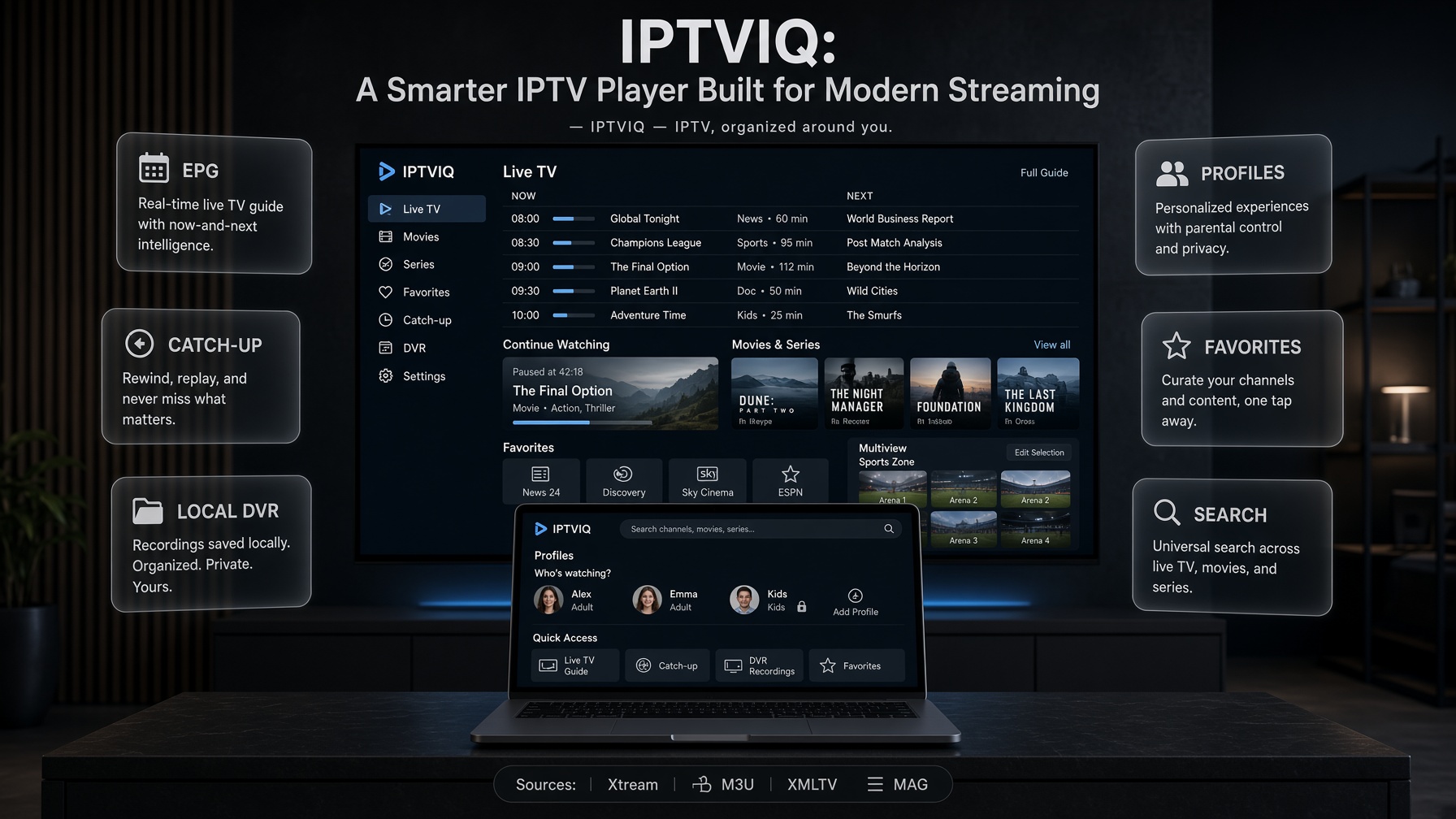
IPTV has changed dramatically over the past few years. Viewers no longer expect a basic app that simply loads a playlist and plays a channel. They want fast navigation, rich program information, reliable playback, organized libraries, recording, catch-up TV, powerful search, household profiles, and an interface that makes even very large IPTV catalogs easier to live with.
IPTVIQ is built around that idea
IPTVIQ is a modern IPTV player designed to turn compatible IPTV sources into a cleaner, smarter, and more organized viewing experience. It does not provide television channels, subscriptions, or IPTV content. Users connect their own compatible source and use IPTVIQ as the interface for watching and managing that content.
The current public release is a native macOS player. Additional platforms are part of the product direction, but they should be understood as planned expansions rather than features already sitting in every app store. That distinction matters. A player can be ambitious without pretending that every screen already exists.
What Is IPTVIQ?
IPTVIQ is an IPTV media player that brings Live TV, Movies, Series, EPG, recordings, favorites, profiles, and other viewing tools together in one application.
Rather than treating IPTV as a simple list of channels, IPTVIQ focuses on an experience closer to a modern streaming platform: browse, search, resume, personalize, restrict, and record. The content still comes from the user’s source. IPTVIQ organizes that source and plays it.
Users can connect supported IPTV sources such as:
- Xtream Codes-compatible services
- M3U and M3U8 playlists
- XMLTV EPG sources
- Compatible Stalker, MAG, and Ministra-based sources
Once connected, IPTVIQ organizes available content into a structured interface designed for everyday viewing. Live channels, video-on-demand titles, series, and program guide data can sit in one environment instead of being scattered across separate utilities.
What IPTVIQ Is Not
This distinction should stay visible in any serious article about the product.
IPTVIQ is not an IPTV provider.
IPTVIQ is not a channel pack.
IPTVIQ is not a cloud streaming service that sits between the provider and the screen.
Video is meant to travel directly from the IPTV source to the device:
IPTV Provider → IPTVIQ on the device
Not:
IPTV Provider → IPTVIQ server → the device
That architecture keeps IPTVIQ in the role of a player. It also keeps Cloud Sync, if and when it ships across devices, in the correct category: synchronization of user state, not redistribution of streams.
More Than a Basic IPTV Player
Many IPTV players focus on one primary function:
Load a playlist and play a stream.
That may be enough for occasional viewing. Large IPTV libraries can contain thousands of channels, movies, episodes, categories, and EPG entries. Without strong organization tools, finding what you actually want to watch becomes work.
IPTVIQ approaches the problem differently. It combines playback with content discovery, personalization, viewing history, program information, recording tools, and household controls.
The goal is simple:
Spend less time navigating IPTV and more time watching it.
On the current Mac app, that means a native player with multiple sources, a guide, VOD and series browsing, Continue Watching, favorites and history per profile, Kids restrictions, manual DVR to a local folder, two-stream multiview, per-source proxy options, and automatic playback recovery after brief connection drops.
Live TV Designed for Real Viewing
Live television is at the center of the IPTVIQ experience.
Instead of presenting channels as an endless dump, IPTVIQ is designed to help users move quickly between categories, channels, programs, favorites, and recent activity. Numeric channel entry, category browsing, recall of the last channel, and a mini-EPG overlay during playback are part of that live-TV design.
Electronic Program Guide support adds another important layer. With XMLTV or provider-supplied guide data available, users can see what is currently playing, what comes next, and additional program information inside the player.
This makes browsing IPTV closer to using a modern television interface rather than scrolling a raw playlist. The quality of that guide still depends on the source. IPTVIQ can display and organize EPG data. It cannot invent a complete guide if the provider does not supply one.
Movies and Series in One Library
IPTVIQ is not limited to live television.
Compatible sources can also expose Movies and TV Series, allowing users to browse different types of content from the same application. Rather than switching between multiple apps or interfaces, Live TV, VOD, and Series can be managed from one environment.
For users with large libraries, this unified approach is one of the main reasons to use a dedicated player instead of a generic media app. Progress tracking and Continue Watching make the VOD side feel less like a file browser and more like a library. When a series is supported by the source, the player can also move toward the next episode instead of forcing the user back into a folder list.
Universal Search
One of the biggest problems with large IPTV services is discovery.
A user may have thousands of channels, movies, shows, and episodes available and still struggle to locate one specific title. IPTVIQ addresses this with search across the available library, so the user spends less time opening category after category.
Search is only as useful as the metadata behind it. If a source has clean titles, categories, and guide data, search becomes a real shortcut. If a source is poorly labeled, no player can fully hide that. IPTVIQ’s job is to make the usable metadata easy to reach, not to promise a Netflix-level catalog when the playlist itself is messy.
Favorites and Viewing History
Every viewer uses IPTV differently.
Some watch sports channels. Others mainly watch movies, news, international channels, documentaries, or television series. Favorites allow viewers to carve a personal library out of a much larger catalog. Viewing history adds another layer of convenience by helping users return to content they previously watched.
In IPTVIQ, favorites and history are profile-aware. That matters on a shared computer. One person’s sports list should not become another person’s homepage, and a child’s viewing trail should not rewrite an adult Continue Watching row.
Together, these features transform a generic playlist into a more personal streaming environment. They do not change the source. They change how the source is lived with.
Catch-Up TV and Watch From Start
Missing the beginning of a live program does not always mean missing the program entirely.
When supported by the connected IPTV provider, IPTVIQ can work with catch-up functionality that allows viewers to access previously aired programming. Watch-from-start functionality can also make it possible to restart supported programs without waiting for a later replay.
Availability depends on the capabilities of the user’s IPTV source. When the source supports it, these features make linear television more flexible. When the source does not, the player cannot create an archive that is not there. This is one of the most important honest lines in any IPTV player article: catch-up is a source feature exposed by the player, not a magic library owned by the app.
Timeshift: Pause and Rewind Live TV
Modern viewers are used to controlling playback. They pause a live match, step away, and expect to return without losing the thread.
IPTVIQ is designed to support more flexible live viewing where the source and platform allow it. That can include restarting a supported program or working with provider-side timeshift or catch-up windows. It should not be read as a guarantee that every live channel can be paused and rewound like a local recording.
There is a practical difference between three features that often get mixed together:
- Catch-up: open a program that already aired, if the provider keeps it.
- Watch from start: jump to the beginning of the current program, if the provider allows it.
- Local DVR: record the stream to a folder on the user’s machine and watch that file later.
IPTVIQ is built around all three ideas, but only the third is fully under the player’s control. The first two stay provider-dependent.
DVR and Recording
Recording remains one of the most useful features for people who regularly watch live television.
The current IPTVIQ DVR model is local and manual. Users can record a compatible live stream to a folder they choose and watch that recording later. Recording is a personal time-shifting tool, not a redistribution feature. The file stays with the user. It is not a cloud DVR and it is not a way to publish or share the stream.
That local-first decision is deliberate. Cloud DVR would turn a lightweight player into a storage and bandwidth product, with a different cost, a different legal profile, and a different sync problem. Scheduled or EPG-based recording is the natural next step for a guide-driven recorder, but it should be described as planned rather than presented as the current Mac workflow.
For sports, news, live events, and other time-sensitive content, even manual local recording already changes the player. The user is no longer forced to watch only in the exact minute the broadcast happens.
Picture-in-Picture and Multiview
Sometimes the user wants to keep a stream visible without giving it the whole screen. Picture-in-Picture is the familiar answer on modern operating systems: keep supported playback in a smaller window while using another part of the device. It is especially useful for news and sports.
Multiview is the stronger live-TV feature in the current product. IPTVIQ supports a two-stream viewing mode, so two compatible live channels can sit side by side. For sports-heavy libraries, that is often more valuable than another settings page. Two matches, a match and a news feed, or a main event and a studio channel can stay on screen without constant channel-hopping.
Multiview is not the same thing as Cloud Sync and not the same thing as recording. It is a playback layout. Each stream still comes from the provider to the device.
Profiles for Different Viewers
A household does not need to behave like a single viewer.
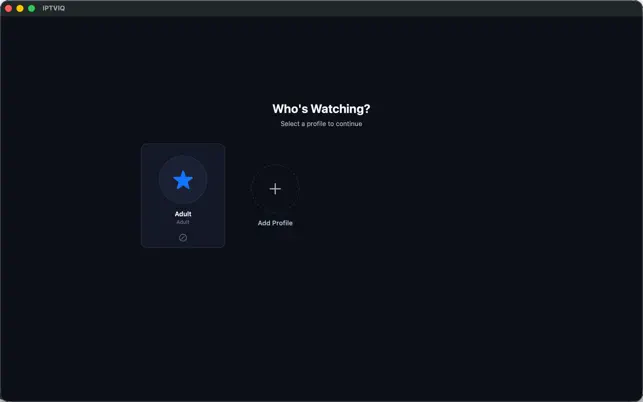
Profiles allow different people to keep their own viewing experience. In IPTVIQ that includes separate favorites, history, and a Kids profile with content restrictions enforced across Home, Search, Guide, and playback. A child profile is not just a different icon. It is an approved-content policy that follows the child through the app.
Profiles are particularly useful on shared computers and, later, on shared televisions. They are also one of the data types that actually belong in a future Cloud Sync design. A Kids approval list that exists only on one Mac is incomplete the moment a second household screen appears.
Parental Controls
Large IPTV libraries may contain content that is not appropriate for every member of a household. Parental controls give families a way to restrict access to parts of the available library.
Combined with profiles, this creates a more controlled IPTV environment for shared devices. The important product detail is consistency. If a title is blocked for a Kids profile, that block should hold in search, in the guide, and at playback time. A restriction that only hides a poster and still allows playback from search is not a control system.
Cloud Sync and Multi-Device Experience
Streaming increasingly happens across multiple screens. That is the right product instinct. It is also the place where IPTV articles most often overclaim.
The current IPTVIQ release is a Mac player. Apple TV, iPhone, iPad, Windows, and Android are planned platforms, not a present-day fleet of published apps. Because of that, Cloud Sync should be explained as a designed capability for a multi-device future, not as a button that already keeps an Apple TV in lockstep with a Mac.
When Cloud Sync is implemented, it should mean one thing:
The user’s state follows the user.
Examples of state that belong in sync:
- sources the user has added
- favorites
- watch history
- resume position
- selected settings
- EPG mappings
- profiles
- Kids approvals and blocklists
Example of data that should stay local, at least in the first version:
- DVR recordings
That split is the difference between a player and a cloud video service. A favorite channel is a small piece of account state. A recorded football match is a large media file. Syncing the first makes a second device feel familiar. Syncing the second creates storage, bandwidth, and rights problems.
Cloud Sync is also not Cloud Streaming. A film watched to minute 42 on a Mac should, after sync, appear under Continue Watching at minute 42 on another signed-in device. The video itself should still open from the IPTV provider to that device. IPTVIQ should remember the position. It should not become the pipe.
This is the version of multi-device support that matches the product. Anything that routes live channels through an IPTVIQ server and calls that “sync” is a different architecture.
QR Pairing, Web Portal, and Device Management
Television setup is painful when the only input device is a remote. QR pairing, a web portal, and centralized device management are therefore attractive ideas for a future living-room version of IPTVIQ.
They are not the center of the current Mac app, and they should not be sold as if every user already has a dashboard of connected televisions. The honest way to keep these topics in a long article is to treat them as ecosystem design:
- QR pairing would reduce the friction of sending source details to a TV-class device.
- A portal or account layer would only be justified if it stores player state, not streams.
- Device management would matter after more than one platform is actually shipping.
Until those pieces exist in the published product, they belong in the roadmap section of an article, not in a comparison table marked “Yes.”
Broad Streaming Format Support
IPTV sources do not all deliver video using the same technology. A capable player needs to work with common live and on-demand formats rather than assuming every provider speaks one protocol.
IPTVIQ is designed around support for widely used streaming technologies, including HLS, MPEG-TS, MPEG-DASH, and MP4. Broad format support helps the player work across a wider range of compatible sources. Reliability still depends on the source, the network, and the codec. Smart Recovery exists for the common case where a stream drops briefly and should come back instead of leaving the player stuck.
Proxy support is part of the same practical layer. Direct, HTTP, HTTPS, or SOCKS5 proxy profiles can be assigned per source, independently for connection traffic and media traffic. That is an advanced setup tool. It is not a reason to send every household’s live TV through IPTVIQ’s own servers.
IPTVIQ vs Traditional IPTV Players
The biggest difference between IPTVIQ and many traditional IPTV players is not simply whether a particular stream can be played. The difference is how the viewing experience is handled.
A fair comparison has to separate what the current Mac app already does from what the product is being built toward.
text
| Feature                                | Basic IPTV Player     | IPTVIQ today (Mac)                 | IPTVIQ direction                   |
| -------------------------------------- | --------------------- | ---------------------------------- | ---------------------------------- |
| Live IPTV playback                     | Yes                   | Yes                                | Yes                                |
| M3U playlist support                   | Often                 | Yes                                | Yes                                |
| Xtream compatibility                   | Often                 | Yes                                | Yes                                |
| Stalker / MAG / Ministra               | Limited               | Supported                          | Supported                          |
| EPG                                    | Basic or optional     | Integrated                         | Integrated                         |
| Movies & Series                        | Varies                | Integrated                         | Integrated                         |
| Search                                 | Limited               | Yes                                | Yes                                |
| Favorites                              | Usually               | Yes, per profile                   | Yes, synced later                  |
| Viewing History                        | Varies                | Yes, per profile                   | Yes, synced later                  |
| Continue Watching / resume             | Varies                | Yes                                | Cross-device resume                |
| Catch-Up / Watch From Start            | Varies                | Supported when the source allows   | Same, source-dependent             |
| Local DVR                              | Often limited         | Manual recording to a local folder | Scheduled / EPG-based recording    |
| Cloud DVR                              | Rare                  | No                                 | Not the current design             |
| Multiview                              | Uncommon              | Two streams                        | Broader layouts if the platform fits |
| Multiple Profiles                      | Uncommon              | Yes, including Kids                | Yes, across devices                |
| Parental Controls                      | Varies                | Yes, enforced in core screens      | Yes                                |
| Cloud Sync                             | Rare                  | Not in the current Mac listing     | State sync across the user’s devices |
| Apple TV / phone / other OS apps       | Varies                | Not current                        | Planned                            |
| Web portal / QR pairing                | Rare                  | Not current                        | Possible ecosystem tools           |
The comparison highlights an important distinction.
A traditional IPTV player is primarily a playback application.
IPTVIQ is trying to become a complete IPTV viewing environment around playback.
It is not there on every device yet. The Mac app is the first published piece of that environment.
IPTVIQ vs Streaming Services
It is also important to distinguish IPTVIQ from services such as Netflix, Disney+, or traditional television subscriptions.
Those services provide both the application and the content. IPTVIQ does not. IPTVIQ is a player. Users provide and remain responsible for their own compatible IPTV source, playlists, credentials, and content rights.
This separation gives users flexibility while keeping the role of the application clear. It also explains why Cloud Sync and Cloud Streaming must never be collapsed into one sentence. Netflix can move both the catalog and the playback position because Netflix owns the catalog. IPTVIQ can move the playback position only as metadata. The catalog still belongs to the user’s source.
Who Is IPTVIQ For?
IPTVIQ is designed for viewers who already have access to a compatible IPTV source and want a better way to use it.
It may be particularly useful for people who:
- Have large IPTV channel libraries
- Regularly watch Live TV
- Want better EPG navigation
- Watch IPTV sports
- Need catch-up or restart when the provider supports it
- Want local DVR capabilities
- Share a household computer and need profiles
- Prefer stronger search and organization
- Want a more polished interface than a basic playlist player
- Expect, over time, the same library state on more than one device
It is less necessary for someone who only opens a short M3U list once a week and never touches favorites, profiles, or recordings.
A Better Experience for Sports Fans
Sports is one area where advanced IPTV functionality becomes especially valuable.
Live events happen simultaneously. Matches overlap. Viewers want to move rapidly between several channels or keep two games in view. Favorites, EPG, two-stream multiview, provider catch-up when available, local recordings, and Continue Watching all serve that habit.
The sports case also shows why architecture language matters. A sports fan does not need IPTVIQ to relay the match through a private server. The fan needs the player to find the channel quickly, recover if the stream blips, record the second half if necessary, and remember that the same match was already half-watched on another screen later. The first parts exist now. The last part is the Cloud Sync problem, not a streaming-proxy problem.
Why IPTV Player Design Matters
IPTV players sometimes compete primarily on how many playlist formats they support. Compatibility matters, but it is only part of the experience.
As IPTV libraries grow, usability becomes just as important. Consider a library containing 10,000 channels, thousands of movies, hundreds of series, and thousands of EPG programs. Simply displaying all of that content is not enough.
A modern IPTV player needs to help users navigate, search, organize, filter, resume, record, and personalize that library. It also needs to tell the truth about which of those actions are local, which depend on the provider, and which will later move between devices.
That is the direction IPTVIQ is built around.
Simple Setup, Powerful Experience
Despite the range of features, IPTV software should not feel complicated. The current workflow is still straightforward:
- Install IPTVIQ on a supported Mac.
- Connect a compatible IPTV source.
- Let the application organize the available content.
- Start watching.
Additional functionality such as favorites, profiles, Kids restrictions, recording, proxy routing, and multiview can then be configured as needed. Future device synchronization should be added the same way: after the daily viewing path already works, not as a requirement before the first channel plays.
The underlying product can be powerful. Everyday viewing should remain simple.
Current Platforms and Roadmap
A long article can keep its length without blurring the shipping status.
Available now:
- macOS 14 or later
- Native Universal Mac app
- Multiple sources
- Live TV, Movies, Series, EPG
- Favorites, history, Continue Watching
- Profiles, including Kids
- Manual local DVR
- Two-stream multiview
- Per-source proxy support
- Smart Recovery
Planned or in product direction:
- iOS and iPadOS
- Apple TV
- Windows
- Android and Android TV
- Cross-device Cloud Sync of user state
- Scheduled / EPG-based recording
Future candidates, not commitments:
- Additional smart-TV platforms
This roadmap is how IPTVIQ can talk about a modern multi-device world without describing an Apple TV app that users cannot download today.
Is IPTVIQ an IPTV Provider?
No.
This distinction is important.
IPTVIQ does not sell or provide IPTV channels, television packages, movies, series, or third-party subscriptions. It is a media player for content and services supplied by the user. Users must have legitimate access to any content they connect to IPTVIQ and remain responsible for complying with applicable copyright laws, provider agreements, and local regulations.
The same line applies to recording and sync. A local recording is a personal copy of a stream the user is already authorized to watch. Cloud Sync, correctly defined, copies settings and progress, not the television service itself.
The Future of IPTV Players
The IPTV player category is evolving. Users increasingly expect the same quality of experience from IPTV applications that they receive from major streaming platforms.
That means IPTV software must move beyond playlist playback. Search needs to be faster. Libraries need better organization. Live television needs more control. Household profiles need real restrictions. Multiple devices need to share state. Setup needs to become easier. Interfaces need to feel less like technical utilities and more like modern entertainment products.
IPTVIQ is being built around that evolution. The important discipline is sequence. Ship a strong player. Keep playback direct. Add local tools such as DVR and multiview. Then, when more devices exist, sync the user’s world across those devices without turning the company into the stream path.
Conclusion
IPTVIQ takes a broader approach to IPTV playback.
On the Mac it already combines Live TV, Movies, Series, EPG, search, favorites, history, profiles, Kids restrictions, catch-up where the source allows it, manual local DVR, and two-channel multiview. The longer product story adds more screens and Cloud Sync of that viewing state.
For users who simply need to open an occasional M3U stream, a basic player may be enough.
For users who interact with IPTV every day and want their content to feel organized, accessible, and easier to control, IPTVIQ is designed to offer considerably more — as a player for the source they already have, not as a replacement for that source.
Your IPTV source. Your content. A smarter way to watch.
IPTVIQ — IPTV, organized around you.